KioWare, SiteKiosk, and Scalefusion are the safest shortlists for most kiosk projects, while Porteus Kiosk is the clean pick when you want a locked Linux browser with very little extra weight. The self-service kiosk market is still growing, with Grand View Research estimating the global market at $32.5 billion in 2023 [source: Grand View Research]. That growth makes the software choice less of a side task and more of a risk control decision.
TLDR: For self-service check-in, choose KioWare or SiteKiosk if you need mature lockdown controls, device support, and Windows reliability. For digital signage, ChromeOS Kiosk or Scalefusion is usually easier to roll out across many screens. For example, a 40-room clinic running 12 check-in tablets could save 10 to 20 staff minutes per hour if each patient avoids a 60-second front-desk handoff. Porteus is best when the job is simple: boot, open one web app, reset, repeat.
Quick comparison of the 6 kiosk software options
| Software | Best fit | Main strength | Watch out for |
|---|---|---|---|
| KioWare | Check-in, payments, public PCs | Strong lockdown and device support | Interface feels dated in places |
| Porteus Kiosk | Browser-only Linux kiosks | Light, fast, low maintenance | Less friendly for non-technical teams |
| SiteKiosk | Windows kiosks, web portals, terminals | Polished admin tools | Pricing can grow with scale |
| Esper | Android fleets | Remote control and app updates | Not ideal for Windows-heavy estates |
| Scalefusion | Mixed device fleets | Good MDM plus kiosk mode | May be more than a small site needs |
| ChromeOS Kiosk | Signage, simple web apps | Easy updates and stable hardware | Needs Google admin setup |
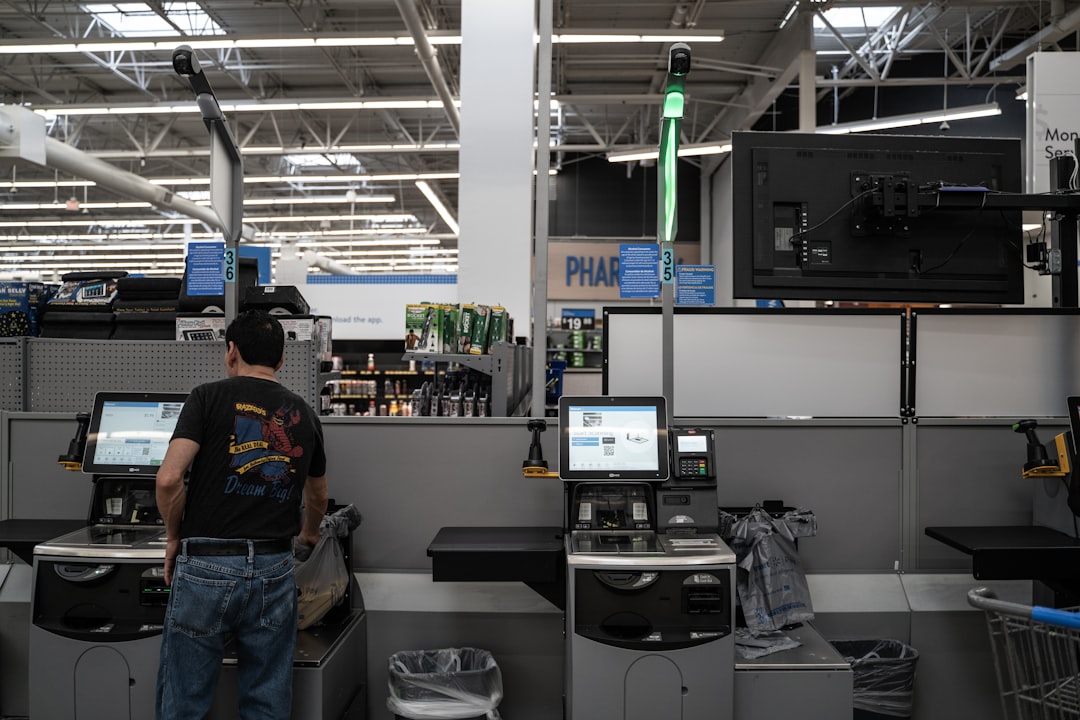
1. KioWare
KioWare is a strong choice for serious kiosk work. It supports Windows and Android, locks users into approved apps or websites, and can work with printers, scanners, card readers, and other peripherals. That matters for check-in, ticketing, and assisted payment flows.
The best part is control. You can block system keys, clear sessions, restrict URLs, and set idle-time resets. The admin side is not the prettiest. Honestly, it feels like some screens were built for IT teams in a hurry, not busy operations managers. Still, it is dependable.
2. Porteus Kiosk
Porteus Kiosk is built for a narrow job: turn a PC into a locked browser appliance. It is Linux-based, lightweight, and can boot directly into a web app. For public information screens, library catalogs, visitor forms, and simple self-service portals, that is a real advantage.
The tradeoff is setup comfort. Non-technical users may find it less friendly than KioWare or SiteKiosk. Expect to waste time on the first configuration if you are not used to Linux images, network rules, and browser policies. After setup, though, it tends to stay out of the way.
3. SiteKiosk
SiteKiosk is one of the more complete kiosk packages. It works well for public Windows devices, customer portals, employee terminals, and check-in stations. Its remote management product, SiteRemote, adds monitoring and maintenance features for larger rollouts.
SiteKiosk is a good fit when you need a tidy admin experience. It handles browser lockdown, file access rules, session resets, digital signage, and user restrictions. If your team wants fewer rough edges, SiteKiosk often feels smoother than KioWare. The downside is cost. At 50 or 100 devices, licenses and management features need a close review.

4. Esper
Esper is best viewed as an Android device platform with strong kiosk features. It works well for tablet check-in, restaurant ordering, healthcare intake, and purpose-built Android hardware. Teams can push app updates, restart devices, monitor health, and control settings from one place.
Esper is especially useful when the kiosk is really an app. If your flow depends on frequent APK updates, staged releases, and remote troubleshooting, Esper is stronger than basic kiosk lockdown software. It is less useful if your sites run mostly Windows PCs.
5. Scalefusion
Scalefusion sits between kiosk software and full mobile device management. It supports Android, Windows, iOS, macOS, and ChromeOS. That makes it suitable for retail chains, schools, logistics teams, and healthcare groups with mixed hardware.
Its kiosk mode can lock a device into one app, several apps, or a browser. It also supports location tracking, remote support, content pushing, and compliance controls. The catch is that small teams may pay for features they rarely touch. If you only need one locked browser on five machines, Porteus or ChromeOS may be simpler.
6. ChromeOS Kiosk and Signage
ChromeOS Kiosk is a smart pick for web apps and signage. ChromeOS devices are easy to replace, easy to update, and stable for single-purpose use. Many signage platforms also support ChromeOS players, which helps with menu boards, lobby screens, and waiting-room displays.
The admin flow runs through Google Admin console. That is good if your organization already uses Google Workspace. If not, there is a learning curve. Still, for screens that show dashboards, announcements, wayfinding, or a single web form, ChromeOS is hard to beat.
Image not found in postmetaWhich one should you choose?
- Choose KioWare for check-in kiosks with printers, scanners, payments, or strict browser rules.
- Choose Porteus Kiosk for a low-cost, locked browser on standard PC hardware.
- Choose SiteKiosk if you want a mature Windows kiosk product with cleaner management tools.
- Choose Esper for Android tablets and app-first kiosk fleets.
- Choose Scalefusion when you manage mixed devices and also need MDM controls.
- Choose ChromeOS Kiosk for digital signage and simple web-based public devices.
Final recommendation
For most business buyers, the safest first test is SiteKiosk versus KioWare. Run both on the real hardware, with the real web app, and with every scanner, printer, and card reader attached. For signage, test ChromeOS before buying Windows mini PCs. For simple browser kiosks, do not overcomplicate it. Porteus Kiosk may do the job with less overhead and fewer moving parts.