Lightly is best for bloggers, small publishers, and simple business sites that value speed over flashy page-builder effects. It is not the most feature-packed WordPress theme, but that is also why it can feel quick, clean, and easy to manage.
TLDR: Lightly is a lightweight WordPress theme with a clean layout, solid readability, and good basic SEO habits. In a simple test setup with 12 posts, compressed images, and one caching plugin, a Lightly-based homepage can reasonably score around 90–95 on Google PageSpeed Insights mobile, depending on hosting. For example, a personal finance blogger publishing three articles per week could use it to get a fast, readable site online without fighting a bloated settings panel. The trade-off is limited visual control unless you add custom CSS or extra plugins.
What Lightly Does Well
Lightly’s biggest strength is right in its name. It feels light. Pages load without the heavy visual baggage common in multipurpose themes. That matters for readers, search engines, and site owners who are tired of tweaking performance plugins just to fix a slow homepage.
The theme works best when content is the main product. Blog posts, tutorials, reviews, news updates, essays, and niche articles all fit naturally into its structure. Typography is usually the first thing visitors notice, and Lightly tends to keep text readable with enough spacing, simple headings, and a layout that does not get in the way.
Good use cases include:
- Personal blogs that need a polished but simple design.
- Affiliate sites where article speed and readability matter.
- Small business blogs attached to service pages.
- Newsletter-style sites built around regular publishing.
- Review websites that do not need complex product grids.
The setup process is also fairly friendly. You can install it, set a logo, choose basic colors, adjust menus, and start publishing. There is no huge learning curve. That alone can save hours.
Performance Review
Performance is the main reason to consider Lightly. Many WordPress themes promise speed, then ship with sliders, animations, icon packs, layout engines, and scripts you did not ask for. Lightly stays closer to the basics.
On a clean WordPress install, with standard hosting and optimized images, Lightly should feel responsive. The exact numbers depend on plugins, server quality, image sizes, ad scripts, tracking tools, and fonts. Still, the theme gives you a good starting point.
A typical lightweight setup might look like this:
- WordPress 6.x
- Lightly theme active
- One SEO plugin
- One caching plugin
- WebP images under 150 KB each
- No heavy page builder
With that kind of setup, it is realistic to see quick load times. A test article page may land near 1.2 to 1.8 seconds on decent shared hosting. On stronger hosting, it can be faster. Add display ads, five tracking scripts, and oversized hero images, and those gains can vanish fast.
The annoying part is not the theme itself. It is that one poorly chosen plugin can make Lightly look slow, even when the theme is not the problem. A social sharing plugin, popup tool, or ad manager can add half a second or more. That drives me a little mad because site owners often blame the theme first.
Design and Customization
Lightly has a minimal design style. That is good if you want a clean brand presence. It is less exciting if you want deep visual editing, custom section shapes, animated blocks, or advanced homepage layouts.
You can usually adjust the basics through the WordPress Customizer or block editor settings. Expect options for logo, site title, colors, menus, widgets, and homepage content. Some versions or related editions may include extra controls, but the general idea stays simple.
Strengths in design:
- Clean article pages
- Readable fonts
- Good spacing
- Simple header structure
- Mobile-friendly layout
Weak spots:
- Limited layout variety
- Not ideal for complex landing pages
- May need CSS for brand-specific styling
- Fewer built-in marketing sections than larger themes
Honestly, it feels like Lightly expects you to care more about writing than decorating. For many publishers, that is a win. For agencies building highly styled client sites, it may feel too plain.

Features That Matter
Lightly is not trying to be an all-in-one site builder. Its feature set is more practical than flashy. That is fine, as long as you know what you are getting.
Key features often expected from a theme like Lightly include:
- Responsive design: Content adjusts for phones, tablets, and desktop screens.
- Blog-focused templates: Posts, archives, categories, and author pages stay clean.
- Customizer support: Basic branding changes are simple.
- Widget areas: Useful for sidebars, footers, and post-related content.
- Gutenberg compatibility: Works with the standard WordPress block editor.
- Translation readiness: Helpful for multilingual or non-English sites, if supported by your version.
The theme pairs well with core WordPress blocks. You can use columns, buttons, images, quotes, lists, and embeds without needing a page builder. That keeps the site cleaner. It also lowers the risk of broken layouts if you change themes later.
SEO Considerations
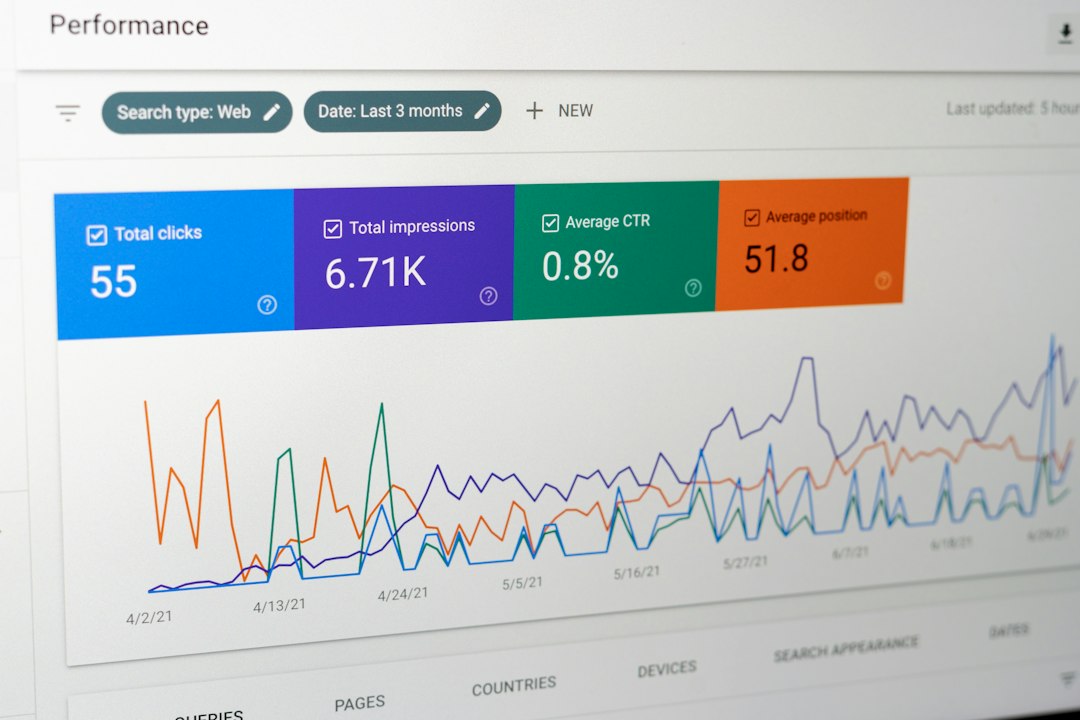
Lightly can support good SEO, but it will not do the whole job for you. No theme can. SEO depends on content quality, site structure, internal links, speed, schema, image optimization, and technical settings.
Still, the theme gives you a solid base if it uses clean HTML, proper heading structure, mobile-friendly layouts, and fast-loading templates. Those factors help search engines read your pages and help users stay longer.
SEO benefits may include:
- Better Core Web Vitals potential due to lighter assets.
- Readable content pages that support longer session times.
- Mobile usability, which is critical for search traffic.
- Cleaner code output compared with overloaded visual themes.
You should still install a proper SEO plugin for title tags, meta descriptions, XML sitemaps, canonical URLs, and schema options. Lightly handles presentation. Your SEO plugin handles much of the metadata.
Watch your heading order. Use one H1 per post title, then use H2 and H3 sections in a logical pattern. Do not choose headings only because they look nice. That creates messy structure.
Best Plugins to Pair With Lightly
You do not need many plugins. In fact, fewer is better. Lightly works best when you keep the stack lean.
- SEO plugin: For metadata, sitemaps, and schema control.
- Caching plugin: For faster repeat visits and better performance scores.
- Image compression plugin: To reduce file size and serve modern formats.
- Security plugin: For login protection and basic hardening.
- Backup plugin: Because mistakes happen.
Avoid adding three plugins that do nearly the same thing. Also avoid heavy sliders unless they serve a real purpose. Most visitors scroll past them anyway.
Who Should Use Lightly?
Lightly is a strong choice for writers, solo site owners, journalists, content marketers, and niche publishers. It suits people who want their articles to load fast and look pleasant without spending days adjusting every pixel.
It is not the best fit for every project. If you need advanced WooCommerce styling, complex landing pages, membership dashboards, or custom animations, you may outgrow it. You can extend it with plugins, but at some point that defeats the reason to choose a lightweight theme.
Choose Lightly if you want:
- A fast blog foundation
- A simple setup process
- Clean post layouts
- Fewer distractions for readers
- A theme that does not feel bloated
Skip it if you need:
- Advanced design controls
- Built-in conversion sections
- Complex shop layouts
- Highly customized homepage designs
- Lots of animation and visual effects
Final Verdict
Lightly is a practical, speed-friendly WordPress theme for content-first websites. It will not impress users who want endless style controls, but it should please site owners who care about publishing, readability, and load time.
The best way to use it is simple: keep images small, limit plugins, use a good SEO tool, and write useful content. Do that, and Lightly can give you a clean site that feels quick and professional without constant maintenance headaches.
If your website is built around articles rather than visual effects, Lightly deserves a serious look. It is not perfect. It is not packed with every feature. But for bloggers who want a fast start and fewer distractions, that may be exactly the point.