Training no longer lives in thick binders or long classroom lectures. It lives on phones, laptops, and in the cloud. It adjusts to how we learn. It remembers what we forget. And it grows with us. That is the magic of Learning Experience Tools for Personalized Training.
TLDR: Learning Experience Tools (LXTs) make training personal, flexible, and fun. They adapt to each learner’s pace, needs, and goals. These tools use data, AI, and smart design to recommend the right content at the right time. The result is better engagement, faster learning, and happier teams.
Let’s break it down in a simple way.
What Are Learning Experience Tools?
Learning Experience Tools, often part of Learning Experience Platforms (LXPs), are smart systems designed to personalize training. Unlike traditional learning systems that push the same course to everyone, these tools adapt.
They act more like Netflix than a textbook.
- They recommend content.
- They track behavior.
- They suggest improvements.
- They learn from the learner.
This creates a custom journey for each person.
Why Personalization Matters
People learn in different ways. Some like videos. Others prefer reading. Some need practice. Others want discussion.
Traditional training often ignores this.
Personalized learning changes the game. It offers:
- Content that matches skill level
- Pacing that fits schedules
- Formats that match learning style
- Feedback based on performance
This makes learning feel less like homework and more like discovery.
The Key Features of Learning Experience Tools
1. Smart Content Recommendations
These systems track what you watch, read, skip, or replay. Then they recommend similar or helpful content.
If an employee struggles with leadership communication, the tool may suggest:
- A short video on active listening
- A quick quiz on feedback styles
- A podcast with a leadership coach
The experience feels natural. Not forced.
2. AI-Powered Insights
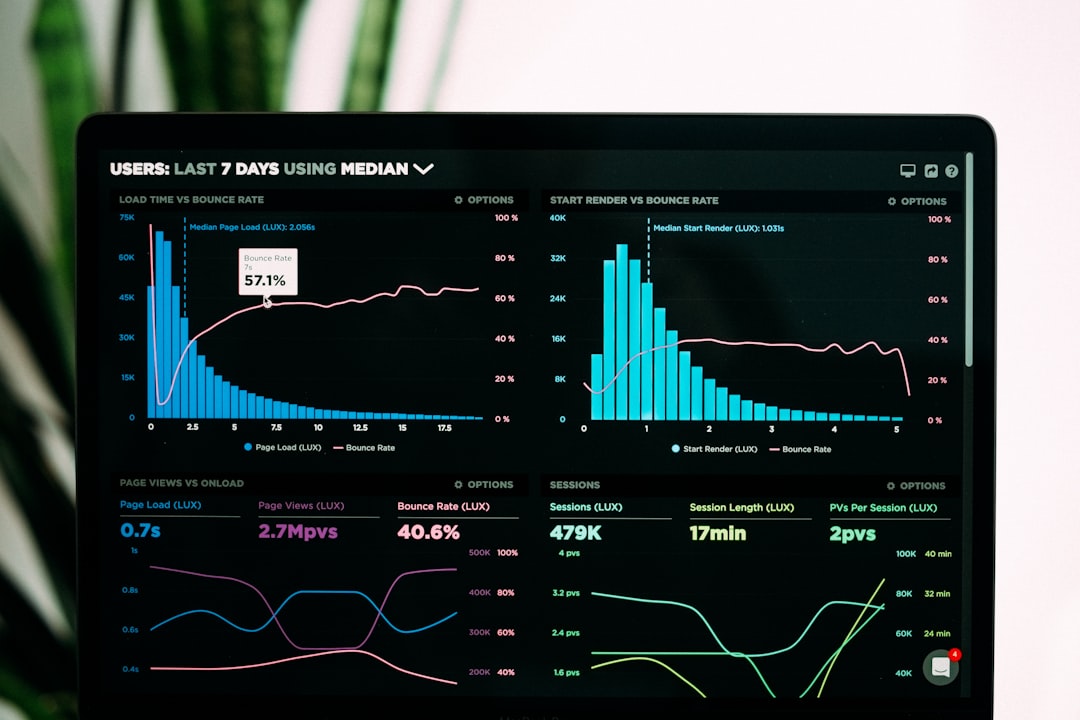
Artificial Intelligence studies patterns. It looks at performance data. It predicts gaps.
This means managers can see:
- Who needs support
- What skills are missing
- Where training is working
Learners also get instant feedback. Immediate feedback improves retention.
3. Microlearning
Short lessons. Quick wins. Less stress.
Microlearning breaks big topics into small pieces. Each lesson may take:
- 3 minutes
- 5 minutes
- 10 minutes
This fits into busy schedules. It also improves focus.
4. Social Learning Features
Learning is not always solo.
Modern tools often include:
- Comment sections
- Peer reviews
- Discussion boards
- Shared resources
This builds community. It also builds knowledge faster.

How These Tools Personalize Training
Personalization is not random. It follows a clear process.
Step 1: Data Collection
The system collects data such as:
- Completed courses
- Quiz scores
- Time spent learning
- Skills assessments
This builds a learner profile.
Step 2: Skill Mapping
The platform compares skills against job roles. It identifies gaps.
For example:
Marketing Manager
- Needs campaign strategy skills
- Needs analytics knowledge
- Needs team leadership skills
The tool checks current ability levels. Then it suggests what to learn next.
Step 3: Continuous Adjustment
As the learner improves, the system adapts again.
If someone masters beginner content, the platform unlocks advanced modules.
This keeps learning challenging but not overwhelming.
Benefits for Employees
Employees love personalized training because it feels relevant.
Here’s why:
- More control over learning paths
- Less wasted time on irrelevant topics
- Clearer growth opportunities
- Higher motivation
When people see progress, they stay engaged.
Engagement leads to better performance.
Benefits for Organizations
Companies win too.
- Better skill alignment
- Faster onboarding
- Lower training costs
- Higher retention rates
Instead of offering hundreds of random courses, organizations can focus on what truly matters.
It becomes strategic. Not just educational.
Real-World Use Cases
Onboarding New Hires
Instead of long manuals, new employees receive tailored paths.
A developer may see:
- Company tech stack tutorials
- Coding standards documentation
- Team introduction videos
A sales rep may see:
- Product demos
- Pitch practice videos
- CRM training modules
Same company. Different paths.
Leadership Development
Future leaders need specific soft skills.
Learning tools can recommend:
- Conflict resolution workshops
- Emotional intelligence exercises
- Strategic thinking courses
Progress is tracked over time. Growth becomes measurable.
Compliance Training
Compliance can be boring. But personalization helps.
If someone passes a pre-test easily, they skip basic sections.
If someone struggles, they get extra support.
This saves time and improves understanding.

The Role of Mobile Learning
Phones changed everything.
Modern Learning Experience Tools are mobile-friendly. Employees can learn:
- On the train
- During a lunch break
- Between meetings
Short lessons. Anywhere. Anytime.
This flexibility increases completion rates.
Gamification Makes It Fun
Some tools include:
- Points
- Badges
- Leaderboards
- Challenges
This taps into friendly competition.
It turns learning into a game.
But the goal is still serious. Skill growth.
Integrations With Other Systems
Learning tools often connect with:
- HR systems
- Performance management tools
- Communication platforms
This creates a seamless experience.
For example, performance reviews can trigger new learning paths automatically.
Simple. Smart. Connected.
Challenges to Consider
Personalized learning is powerful. But it takes planning.
Common challenges include:
- Keeping content updated
- Protecting user data
- Avoiding too many notifications
- Ensuring equal access for all employees
The solution is balance.
Technology should support learning. Not overwhelm it.
The Future of Personalized Training
The future looks even smarter.
We will see more:
- Predictive skill forecasting
- Voice-based learning assistants
- Virtual reality simulations
- Real-time performance coaching
Imagine practicing a negotiation in virtual reality. Or receiving instant coaching after a sales call.
This is not science fiction. It is already starting.
How to Choose the Right Learning Experience Tool
If you are selecting a tool, keep it simple.
Ask these questions:
- Is the platform easy to use?
- Does it offer personalized recommendations?
- Can it integrate with existing systems?
- Does it provide strong analytics?
- Is it mobile-friendly?
Most important, ask employees for feedback. After all, they will use it.
Final Thoughts
Learning should not feel like a chore.
It should feel like growth.
Learning Experience Tools for Personalized Training bring learning closer to the individual. They respect time. They respect differences. They focus on real skills.
In a world where skills change quickly, personalization is no longer optional. It is essential.
When training adapts to people, people adapt faster to change.
And that makes everyone stronger.