For most HBO or Max streaming needs, a VPN is the safer all-round choice, while Smart DNS is the faster, cleaner option for devices that do not support VPN apps. If you want privacy on hotel Wi Fi, use a VPN. If you want simple location switching on an Apple TV, PlayStation, Xbox, or older smart TV, Smart DNS may be less annoying.
TLDR: A VPN changes your visible IP address and encrypts your traffic, which helps with privacy and streaming access when you travel. Smart DNS only reroutes location checks, so it is usually faster but offers no encryption. For example, a 100 Mbps home connection might stream Max at 72 Mbps through a VPN but stay near 95 Mbps with Smart DNS. If you watch HBO on a laptop, pick a VPN; if you watch on a smart TV, Smart DNS can be the smoother setup.
HBO VPN vs Smart DNS: the short version
HBO streaming access can get messy because the service checks where you are, what device you use, and sometimes whether your IP address looks suspicious. That applies to HBO through cable apps, the Max app, and regional HBO services outside the United States.
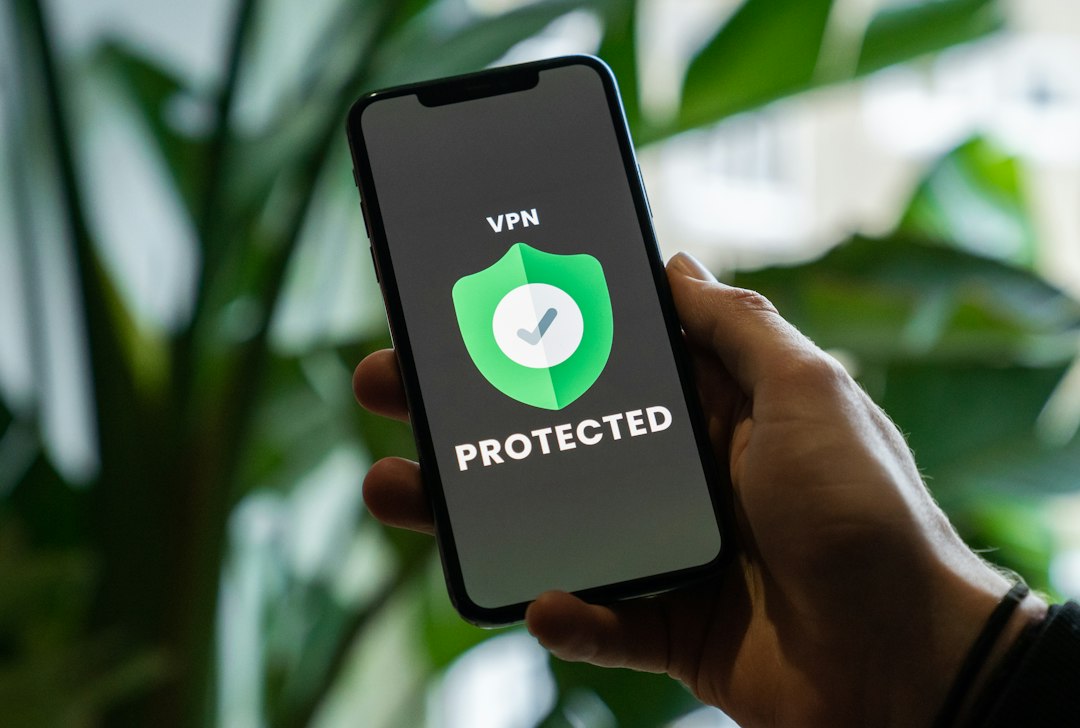
A VPN sends your internet traffic through an encrypted tunnel. Websites and apps see the VPN server’s IP address instead of your real one. A Smart DNS service does not hide your IP in the same way. It changes the DNS requests used for streaming location checks, while your normal internet connection stays mostly untouched.
That difference matters. It affects speed, privacy, device support, and how often you end up staring at an error message instead of the next episode.

How a VPN works for HBO streaming
A VPN is useful when you want stronger privacy and a more complete location change. Once connected, your traffic goes through a VPN server in the region you choose. If you connect to a US server, HBO or Max may see a US IP address. If you connect to a server in another supported country, the service sees that location instead.
The main benefits are clear:
- Privacy: Your ISP, hotel network, airport Wi Fi, or landlord network cannot easily see what you are doing.
- App support: VPN apps usually work well on Windows, macOS, iOS, Android, and Fire TV.
- Security: Encryption helps when you stream on public Wi Fi.
- Flexible server choice: You can switch regions inside the app in seconds.
The catch is that VPNs can slow your connection. A good one may only cut speed by 10% to 30%. A weak one can do much worse. If your base speed is 30 Mbps, that loss can matter for 4K streaming, especially if other people at home are gaming or taking video calls.
Another irritation is server blocking. HBO and Max sometimes detect VPN IP addresses. One server may work on Monday and fail on Wednesday. Expect to waste time switching servers now and then. With weaker VPNs, that can mean three or four tries before the app loads properly.
How Smart DNS works for HBO streaming
Smart DNS is built for streaming rather than privacy. You change the DNS settings on your device or router, then the Smart DNS provider handles certain requests related to location. Your video traffic usually travels through your normal ISP connection, not through an encrypted tunnel.
This gives Smart DNS a few real advantages:
- Speed: Since there is no heavy encryption, streams often start faster.
- Device support: It works on devices that do not allow VPN apps, such as many smart TVs and game consoles.
- Low latency: Menus and playback can feel snappier.
- Simple daily use: Once set on a router, it can cover many home devices.
But Smart DNS has limits. It does not encrypt traffic. It does not hide your IP address in the same way a VPN does. It also may require you to register your home IP address with the Smart DNS provider. If your ISP changes your IP, you may need to update it before streaming works again.
It drives me crazy that Smart DNS setup can be simple on one TV and weirdly buried on another. On some Samsung and LG models, the DNS menu is easy to find. On some routers, it is hidden three screens deep under advanced network settings. That can turn a two-minute setup into a ten-minute hunt.
Which is better for HBO while traveling?
If you travel often, a VPN is usually better. It protects your connection on hotel and airport Wi Fi. It also gives you a clearer way to pick a server in your home region. That matters if you already pay for HBO or Max and want access to your usual account while away.
For example, say you live in New York and pay for Max. You spend two weeks in Spain. On a hotel Wi Fi network, a VPN can encrypt your connection and present a US server location. Smart DNS may help on some devices, but it will not protect your traffic on that shared network.
For travel, pick a VPN first. For a living room device, consider Smart DNS.

Which is better for 4K HBO streaming?
For raw speed, Smart DNS often wins. HBO and Max can require around 25 Mbps for stable 4K UHD streaming, though real-world performance depends on Wi Fi strength, device quality, and network congestion. If your internet is already marginal, Smart DNS may give you the extra headroom you need.
A VPN can still handle 4K if it is fast enough. The best VPNs use modern protocols such as WireGuard or similar options. These can keep speeds high and reduce buffering. Still, encryption adds work. On older routers or cheap streaming sticks, that extra load can show up as stutter, lower quality, or slower app loading.
Use this quick rule:
- 100 Mbps or faster connection: A quality VPN should be fine for HD and 4K.
- 30 to 50 Mbps connection: Smart DNS may feel smoother for 4K.
- Under 25 Mbps: neither tool can fix a weak connection reliably.
Device support: where the choice gets obvious
Your device may decide for you. Laptops, phones, tablets, and Fire TV devices usually support VPN apps. Apple TV now has more VPN options than before, but support still depends on your provider and software version. Roku, many smart TVs, and game consoles usually do not support standard VPN apps directly.
For those devices, you have two main choices. Set up a VPN on your router, or use Smart DNS. Router VPN setup is powerful but more technical. Smart DNS is usually easier because you only change DNS numbers in the network settings.
If your whole household watches HBO on a big TV, Smart DNS can be the less painful option. If each person watches on phones and laptops, a VPN app is easier to manage.
Privacy and security: Smart DNS cannot compete
This is the biggest gap. Smart DNS is not a privacy tool. Your ISP can still see your traffic patterns. Public Wi Fi owners may still observe connection metadata. Your IP address is not fully masked.
A VPN gives you encryption and IP masking. That makes it better for public networks, private browsing, and general security. If privacy matters at all, Smart DNS should not be your only tool.
That said, a VPN is not magic. You still need strong passwords. You still need two-factor authentication when HBO or Max supports it. You should also avoid free VPNs that log traffic, inject ads, or run overloaded servers.
Reliability and blocking
Both tools can fail. Streaming platforms often block known VPN and proxy servers. Smart DNS services can also stop working if HBO changes detection methods or app behavior.
A paid VPN with many servers has a better chance of recovering quickly. You can switch servers or ask support which location works best. With Smart DNS, there may be fewer knobs to turn. When it fails, you often wait for the provider to fix routing.
Before paying for either, check whether the provider openly supports HBO or Max streaming. Also check refund terms. A 7-day or 30-day refund policy is useful because streaming access can vary by region, device, and even time of day.
So, which should you choose?
Choose a VPN if you want privacy, travel support, and flexible access across laptops, phones, and tablets. It is the better default for most people. It also gives you security benefits outside streaming.
Choose Smart DNS if your main goal is watching HBO or Max on a smart TV, console, or Roku-style device with the least speed loss. It is best for home use, especially when privacy is not the main concern.
The ideal setup for serious streamers is often both. Use a VPN on personal devices and Smart DNS on the living room TV. That gives you privacy where it matters and speed where it feels most noticeable.
Final recommendation: start with a reputable VPN if you want one tool for streaming and security. Add Smart DNS if your TV or console refuses to play nicely with VPN apps.