Automate outbound email by building one clean system: find the right leads, enrich them, write personal messages with AI, send at sane times, follow up, and track every reply. That is the simple version. No giant spreadsheet circus. No “Where did that lead go?” panic at 4:57 p.m.
TLDR: Outbound email automation helps you send better sales emails to the right people, without writing every message by hand. AI can personalize intros, sort leads, plan follow-ups, and show what works. For example, a small SaaS team sending 1,000 emails per month might raise reply rates from 3% to 8% by using better targeting and 3 smart follow-ups. That means 30 replies can become 80 replies, from the same list size.
What is outbound email automation?
Outbound email automation is a system that sends sales or outreach emails for you. But it is not just “blast everyone and pray.” Please do not do that. It is how inboxes become sad little trash fires.
A good setup does six things:
- Finds leads that match your target customer.
- Organizes leads by company, role, need, and status.
- Uses AI to help write useful, personal emails.
- Schedules sends at smart times.
- Sends follow-ups without nagging people like a broken doorbell.
- Tracks results so you can improve the next campaign.
Step 1: Start with the right leads
Bad leads ruin everything. Even a perfect email will fail if it goes to the wrong person. A vegan snack company should not email a tire shop manager about office hummus. Unless that manager is very hungry.
Build a lead list using clear rules. These rules are called your ideal customer profile, or ICP.
Include things like:
- Industry
- Company size
- Location
- Job title
- Tools they use
- Recent events, like hiring or funding
- Common pain points
AI can help clean and enrich this data. It can spot patterns. It can group contacts by need. It can even suggest who is most likely to reply based on past results.
The annoying part? Some tools still make you click six times just to fix one bad field. It drives me crazy when changing a job title takes longer than writing the email. Pick software that makes editing simple.
Step 2: Personalize without spending all day
Personalization is not adding “Hi Sarah” and calling it magic. Real personalization shows that you know who the person is and why you are emailing them.
AI can help write custom lines based on public data. It might use a company post, job listing, case study, or website copy. Then it can turn that into a short opener.
For example:
- Weak: “I hope this email finds you well.”
- Better: “I saw your team is hiring three SDRs in Austin. That usually means lead routing is about to get messy.”
That second line feels human. It has a reason. It starts a real conversation.
Keep the email short. Aim for 80 to 140 words. One idea. One offer. One question. People are busy. Their inbox is already yelling at them.
Step 3: Let AI assist, not autopilot everything
AI is great at drafts. It is not great at knowing every tiny detail about your market. So use it like a sharp assistant, not a wild robot with a send button.
Ask AI to create:
- Subject line options
- First-line personalization
- Email body drafts
- Follow-up variations
- Lead segment ideas
- A/B test ideas
Then review the output. Remove fluff. Remove fake praise. Never pretend you read something you did not read. People can smell fake interest through a screen.
A simple prompt can work well:
“Write a 100-word outbound email to a VP of Sales at a 100-person SaaS company. Mention that they are hiring SDRs. Offer a way to reduce manual lead assignment. Use a friendly tone. End with one clear question.”
Step 4: Build a follow-up sequence
Most replies do not come from the first email. That is normal. People miss emails. People save emails. People open emails while microwaving soup, then forget life exists.
A good sequence might look like this:
- Day 1: First email with personal opener.
- Day 3: Short follow-up with one extra benefit.
- Day 7: Share a useful stat, result, or quick example.
- Day 12: Polite breakup email.
Keep follow-ups short. Do not guilt people. Do not write “following up again” forever. That phrase has done enough damage.
Try this instead:
“Worth a quick look, or should I close the loop?”
Simple. Calm. No drama.

Step 5: Schedule emails like a normal person
Do not send 2,000 emails at 9:00 a.m. from a brand-new domain. That is how spam filters invite you into the basement.
Warm up your sending. Start small. Send to verified contacts. Space emails out during business hours. Match the recipient’s time zone when possible.
Basic scheduling tips:
- Send Tuesday to Thursday for many B2B campaigns.
- Test mornings against early afternoons.
- Avoid big bursts.
- Pause campaigns on major holidays.
- Stop emails when someone replies.
Honestly, it feels like some platforms hide time zone settings just to test your patience. If it takes 20 seconds to find the schedule button every time, that pain adds up.
Step 6: Manage leads in one place
Your lead management system is the brain of the campaign. It tells you who is new, who opened, who replied, who booked, and who should never be emailed again.
Use clear status labels:
- New lead
- Contacted
- Opened
- Replied
- Meeting booked
- Not interested
- Do not contact
This keeps your team sane. It also prevents awkward mistakes, like emailing someone a sales pitch after they already booked a demo. Painful. Avoidable.
Step 7: Track the right performance numbers
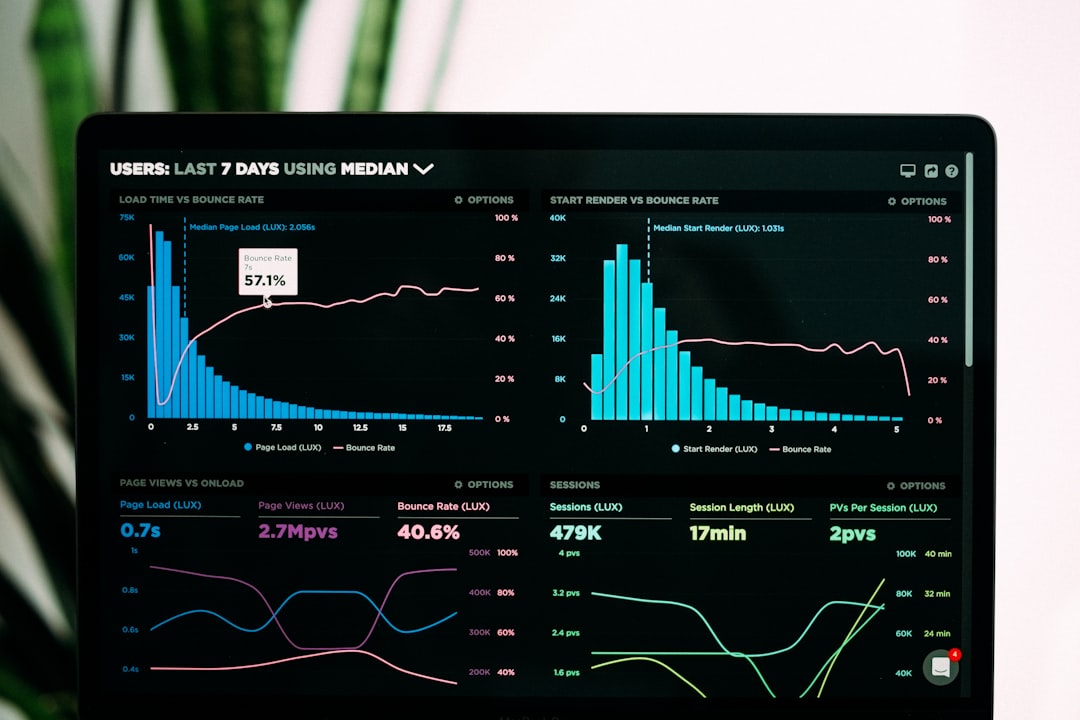
Tracking is where the money hides. You do not need 47 charts. You need the numbers that tell you what to fix.
Watch these metrics:
- Delivery rate: Did emails reach inboxes?
- Open rate: Did the subject line work?
- Reply rate: Did the message create interest?
- Positive reply rate: Did people actually want to talk?
- Meeting rate: Did replies turn into calls?
- Bounce rate: Is your list clean?
- Unsubscribe rate: Are you annoying the market?
A healthy campaign might see a 95%+ delivery rate, a 40% to 60% open rate, and a 5% to 12% reply rate. These numbers vary by market. Still, they give you a useful starting point.
Step 8: Improve one thing at a time
Do not change every variable at once. That creates mystery soup. Test one thing, then compare results.
Good tests include:
- Two subject lines
- Two opening lines
- Different CTAs
- Different industries
- Short email vs. slightly longer email
If version A gets 4% replies and version B gets 9%, keep learning. Ask why it worked. Was it more specific? More timely? More direct?
Keep it legal and respectful
Outbound email is not a free-for-all. Follow email laws in your target region. Use accurate sender details. Include an easy opt-out. Honor unsubscribe requests fast.
Also, be useful. That is the real trick. AI and automation can help you move faster, but relevance gets replies. Send fewer lazy emails. Send more smart ones.
The best outbound system feels simple: right person, right message, right time, clear tracking. Add AI to speed up the boring parts. Keep humans in charge of taste, judgment, and common sense. That is how campaigns become less messy, less manual, and much more likely to win replies.