
Yes, Instagram Stories can be scheduled, but the exact method depends on the account type, tool, and Story features being used. A creator, brand, or agency can plan Story slides ahead of time, upload them into Meta Business Suite or a social media scheduler, then choose a posting time. Some tools publish Stories automatically, while others send a phone reminder when Instagram limits a feature such as stickers, music, or certain interactive elements.
TLDR: Instagram Story scheduling works best for planned content such as promos, launches, event reminders, testimonials, and daily brand updates. For example, a coffee shop could schedule five morning Stories for the week, each going live at 7:30 a.m., then compare reach and sticker taps by Friday. If its Monday Story gets 1,800 views and a 12% link tap rate, the team can repeat that format. Scheduling saves time, but interactive Story elements may still need a quick manual check.
How Instagram Story Scheduling Works
Instagram Story scheduling is the process of preparing Story content before it goes live. The scheduled Story usually includes an image or video, caption text, tags, links, and sometimes stickers. The tool then stores the content and posts it at the selected date and time.
There are three common ways this happens:
- Meta Business Suite: This is Meta’s own scheduling tool for Facebook and Instagram accounts.
- Third-party scheduling platforms: These tools often include content calendars, approval flows, and analytics.
- Reminder-based scheduling: The tool sends an alert, then a person manually posts the Story from a phone.
The catch is that not every feature works the same way in every tool. A plain image Story with text is usually simple. A Story with trending music, a poll, a quiz, and a product sticker can be more annoying. Some schedulers cannot publish those elements directly, so the person managing the account may need to finish the post inside Instagram.
Can Stories Be Scheduled Directly in Instagram?
Instagram has added more scheduling options over time, especially for professional accounts. Still, Story scheduling inside the Instagram app is not always as complete or reliable as post and Reel scheduling. Many teams use Meta Business Suite because it is built for account management and content planning.
In most cases, the account should be a Professional account, meaning either a Business or Creator account. It also helps if the Instagram account is connected to a Facebook Page through Meta. Without the right setup, scheduling options may be missing, limited, or oddly hidden. Honestly, it feels like a basic task can take 30 seconds longer than it should when the account connection is not clean.
Basic Steps to Schedule an Instagram Story
The process is similar across most tools, even if the buttons have different names.
- Create the Story asset. Use a 9:16 image or video, usually 1080 by 1920 pixels.
- Open the scheduler. This may be Meta Business Suite or another approved platform.
- Select the Instagram account. Agencies should double-check this step. Posting to the wrong client account is painful.
- Upload the media. Add each Story slide in order.
- Add text, links, tags, or stickers. If the tool supports them, add them before scheduling.
- Choose the date and time. Pick a slot based on audience activity, not guesswork.
- Preview the Story. Check cropping, safe zones, spelling, and slide order.
- Schedule or save for approval. Some teams require a manager or client to review content first.
A good scheduler should show how the Story will look on a phone. This matters because text near the top or bottom can be blocked by Instagram’s interface. The safest content usually sits in the center, away from profile names, message boxes, and buttons.
What Types of Instagram Stories Should Be Scheduled?
Scheduling works best for content that does not depend on breaking news or live reactions. Planned Stories can carry a brand’s weekly rhythm without forcing someone to post manually every few hours.
Strong candidates include:
- Product launches: Teasers, countdowns, feature highlights, and shopping prompts.
- Event reminders: Speaker notes, agenda slides, venue details, and last-call tickets.
- Promotions: Discount codes, limited offers, bundles, and seasonal sales.
- Educational tips: Quick how-to slides, myths, checklists, and mini tutorials.
- Social proof: Reviews, case studies, before-and-after posts, and customer quotes.
- Routine updates: Opening hours, menu changes, new arrivals, or weekly recaps.
Live content should stay flexible. Behind-the-scenes clips, event moments, urgent updates, and real-time replies usually feel better when posted manually. Scheduled content keeps the account active. Manual content keeps it human.
What Should Be Planned Before Scheduling?
Good Story scheduling starts before the upload screen. A team should know the goal of each Story before making it. Is the Story meant to drive clicks, start replies, get poll votes, promote a sale, or keep the brand visible?
A simple planning list should include:
- Goal: Reach, replies, link taps, sales, sign-ups, or awareness.
- Audience segment: New followers, warm leads, existing customers, or local visitors.
- Creative format: Single image, video, multi-slide sequence, testimonial, demo, or countdown.
- Posting time: Based on past Story insights and follower activity.
- Call to action: “Shop now,” “Vote,” “Reply,” “Read more,” or “Save this.”
- Follow-up plan: Who answers replies, checks link clicks, and reposts user responses?
Story sequences should also be planned as a small narrative. The first slide catches attention. The middle explains the point. The final slide asks for action. If a brand posts six unrelated slides at once, viewers may skip through them. Each slide should earn the next tap.
Best Times to Schedule Instagram Stories
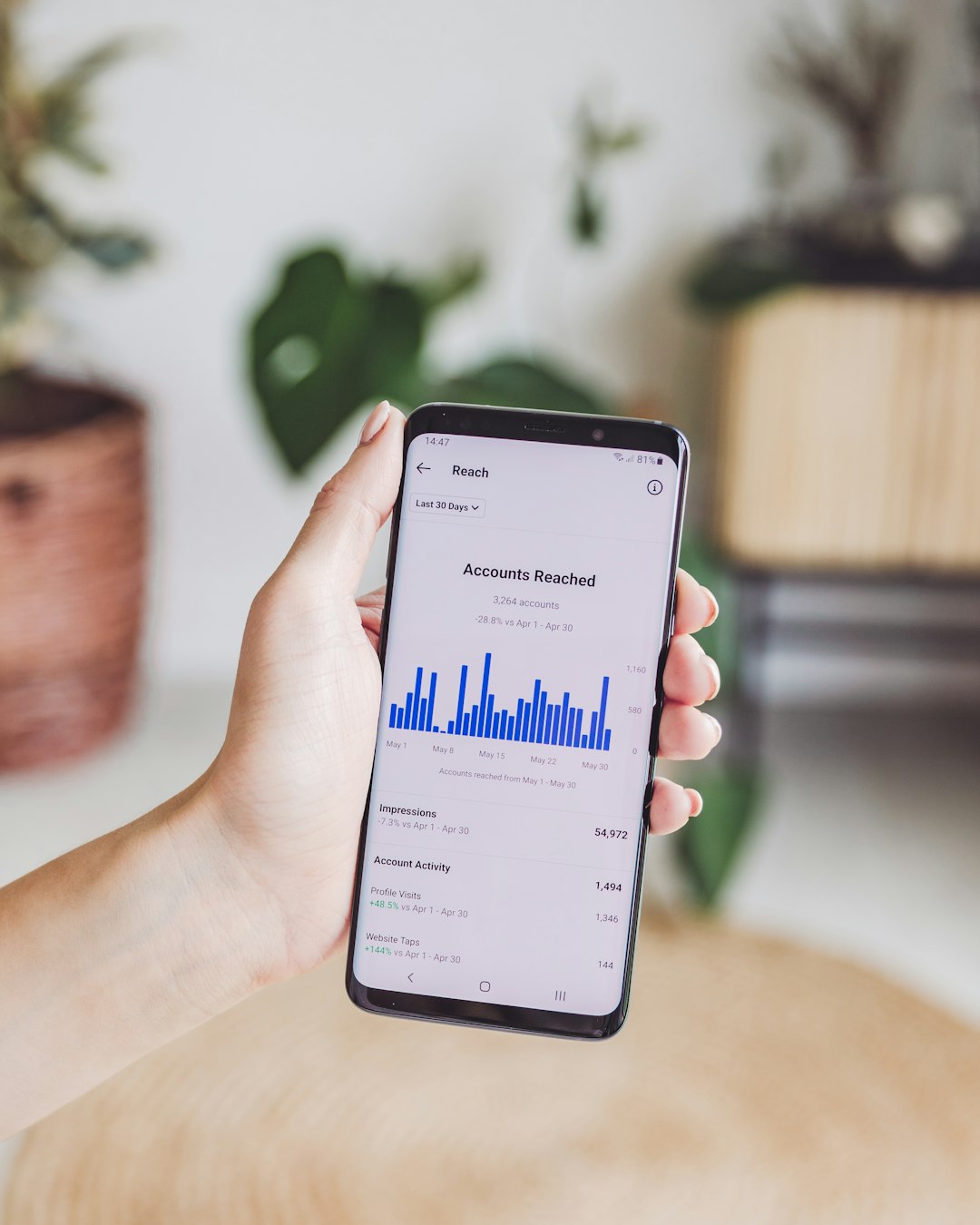
There is no universal best time. A fitness coach, bakery, software company, and music venue may all see different results. The better route is to check Instagram Insights and spot when followers are most active.
Still, many brands test these windows first:
- Morning: 7 a.m. to 9 a.m., when people check phones before work or school.
- Lunch: 11:30 a.m. to 1:30 p.m., when scrolling often spikes.
- Evening: 6 p.m. to 9 p.m., when users have more time to watch and respond.
A practical test might compare three posting windows over two weeks. If evening Stories average 2,400 views and morning Stories average 1,500 views, the schedule should shift toward evenings. If link taps are higher at lunch, sales content may belong there instead.
Common Limits and Annoyances
Story scheduling is useful, but it is not perfect. Music can be restricted. Interactive stickers may not auto-publish in some platforms. Product tags may need extra setup. Some tools compress video more than expected, which can make text look soft.
Teams should also watch for approval delays. A Story about a sale is useless if it gets approved two hours after the sale ends. A shared content calendar helps, but only if everyone checks it. Expect to waste time on small fixes when files are named poorly, links are missing, or the wrong version gets uploaded.
Tips for Better Scheduled Stories
- Use templates: Templates speed up production and keep the account consistent.
- Batch content weekly: Planning five to ten Stories at once reduces daily pressure.
- Leave room for live posts: A packed schedule can make the account feel stiff.
- Check links: One broken link can ruin a strong Story sequence.
- Review mobile previews: Desktop designs often look different on a phone.
- Track completion rate: If viewers drop after slide two, the sequence may be too long.
Instagram Stories can be scheduled, and most brands should use scheduling for predictable content. The best setup combines planned Story sequences with room for timely, manual posts. That mix saves time without making the account feel robotic.
FAQ
Can Instagram Stories be scheduled for free?
Yes. Meta Business Suite can schedule Instagram Stories for eligible professional accounts at no cost. Some third-party tools also offer free or low-cost plans, though features may be limited.
Does scheduled Story content post automatically?
Often, yes. Plain images and videos can usually publish automatically through supported tools. Stories with music, advanced stickers, or other restricted features may require a reminder and manual posting.
What account type is needed to schedule Instagram Stories?
A Business or Creator account is usually required. The account may also need to be connected to a Facebook Page inside Meta’s account settings.
Can polls and stickers be scheduled?
Sometimes. It depends on the scheduling platform and Instagram’s current permissions. If a sticker is not supported, the scheduler may send a mobile reminder so the person posting can add it manually.
How far ahead should Stories be scheduled?
Most brands plan Stories one to two weeks ahead. Campaigns, launches, and events can be planned further out, but details should be checked again before posting.
Should every Instagram Story be scheduled?
No. Scheduled Stories are great for planned updates, but live moments, replies, reposts, and behind-the-scenes content often work better when posted manually.








