Passwords are like house keys. You need them all the time. You also lose them at the worst time. Password Commander is a tool built to make that problem less painful, especially for companies with many users, many systems, and many “I forgot my password” moments.
TLDR: Password Commander is usually used as an enterprise password management and self service password reset tool. It helps users reset passwords, unlock accounts, and keep access secure without always calling IT. It is most useful for businesses, schools, and organizations with lots of employees or accounts. Alternatives include Microsoft Entra ID, Okta, ManageEngine ADSelfService Plus, Specops, Bitwarden, 1Password, and LastPass.
What Is Password Commander?
Password Commander is a password management solution made for organizations. It is not just a simple app where you store your Netflix password. Think of it more like a password control room.
Its main job is to help users manage passwords safely. It can let people reset forgotten passwords by themselves. It can help unlock accounts. It can reduce calls to the help desk. That is a big deal.
Why? Because password problems are common. Very common. In many IT departments, password reset requests are one of the biggest sources of support tickets. Each ticket takes time. Time costs money. Also, nobody enjoys waiting in a queue just to get back into email.
Password Commander tries to fix that. It gives users a safe way to prove who they are. Then it lets them solve the problem on their own.
How Does It Work?
The basic idea is simple.
- A user forgets a password or gets locked out.
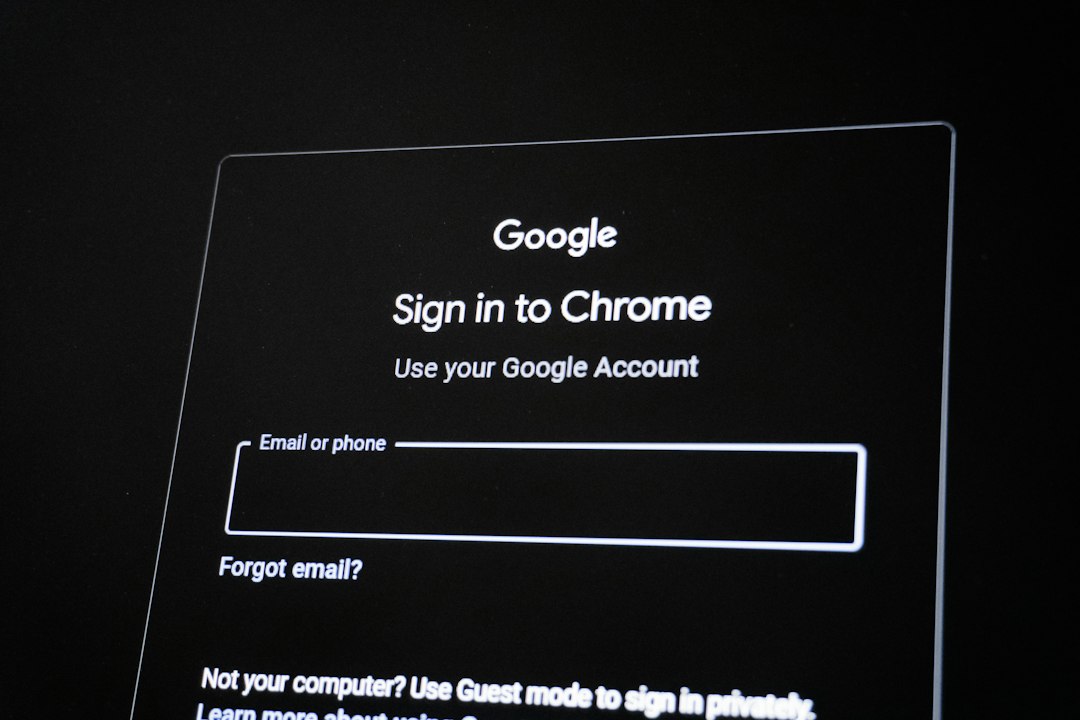
- The user goes to a password reset portal.
- The system asks for proof of identity.
- The user answers questions or uses another verification method.
- The user resets the password or unlocks the account.
That is the happy path. No panic. No help desk call. No sticky note under the keyboard. Everyone wins.
In many setups, Password Commander connects to systems like Active Directory, LDAP directories, or other identity platforms. These are places where company user accounts live. When the password changes, the connected system updates too.
Key Features of Password Commander
Password Commander can vary by version and setup. Still, tools with this name usually focus on a few core features.
1. Self Service Password Reset
This is the star of the show. Users can reset their own passwords without calling IT. It is like a vending machine for account access. But with more security and fewer chips.
2. Account Unlock
Sometimes users type the wrong password too many times. The account locks. This is annoying. Password Commander can let users unlock their own accounts after verification.
3. Identity Verification
The system must know the user is really the user. It may use security questions, one time codes, email verification, SMS, authenticator apps, or other methods. Stronger verification is better.
4. Password Policy Enforcement
Companies often have password rules. For example, passwords may need a minimum length. They may need numbers or symbols. They may block common passwords like “password123.” Password Commander can help enforce those rules.
5. Directory Integration
Many organizations use directories to manage users. Password Commander may connect with Active Directory or similar systems. This makes password changes flow to the right place.
6. Audit Logs and Reporting
Admins need to know what happened. Who reset a password? When? From where? Audit logs help with security checks, compliance, and troubleshooting.
7. Help Desk Support Tools
Some versions may include tools for IT teams. Help desk staff can verify users, reset passwords, and track requests in a safer way.

Who Uses Password Commander?
Password Commander is mostly useful for organizations. It is not usually the first choice for one person at home. It shines when many people need access to many systems.
Common users include:
- Businesses with many employees.
- Schools and universities with students, teachers, and staff.
- Healthcare organizations that need fast and secure access.
- Government offices with strict identity rules.
- IT teams that want fewer password reset tickets.
Best Use Cases
Reducing Help Desk Tickets
This is the big one. If users can reset passwords on their own, IT teams get fewer calls. That means they can focus on bigger problems. Like server issues. Or printer drama. Mostly printer drama.
Helping Remote Workers
Remote work makes password problems harder. A locked out employee may be at home, in an airport, or at a coffee shop. Self service tools help them get back in faster.
Improving Security
A good reset process can be safer than a rushed phone call. It can require strong verification. It can create logs. It can enforce password rules. That makes life harder for attackers.
Supporting Compliance
Some industries must prove that access is controlled. Audit logs and password policies help. They show who did what and when.
Handling Large User Groups
Schools and big companies have constant account changes. New users arrive. Old users leave. Passwords expire. Accounts lock. A self service system brings order to the chaos.
Password Commander vs Password Vaults
This part is important. Password Commander is not always the same as a password vault.
A password vault stores passwords for websites and apps. Examples include 1Password, Bitwarden, and LastPass. You put your passwords in the vault. The vault fills them in later.
Password Commander is more about managing account passwords inside an organization. It helps reset, unlock, and control passwords. It may not be the tool you use to store your personal shopping login.
In simple terms:
- Password vault: “Where did I save my password?”
- Password Commander: “How do I reset or unlock this company account?”
Available Alternatives
Password Commander is not the only tool in town. Many options can do similar jobs. The best choice depends on your systems, budget, and security needs.
Microsoft Entra ID Self Service Password Reset
This is a strong choice for organizations already using Microsoft 365 or Azure services. It lets users reset passwords and unlock accounts. It works well inside the Microsoft world.
Okta
Okta is a popular identity platform. It handles single sign on, multi factor authentication, and password reset. It is often used by companies with many cloud apps.
ManageEngine ADSelfService Plus
This tool focuses on Active Directory password reset, account unlock, and password synchronization. It is a common option for companies that want strong AD support.
Specops uReset
Specops offers password reset tools with flexible identity verification. It is known for security focused password policy features too.
One Identity Password Manager
This is another enterprise option for self service password reset. It is often used by larger organizations with complex identity needs.
Bitwarden, 1Password, and LastPass
These are better known as password vaults. They help users store and share passwords safely. They are great if your main problem is password storage, not account reset workflows.
What to Look For Before Choosing
Before picking Password Commander or an alternative, ask a few simple questions.
- Does it work with your current directory or identity system?
- Does it support multi factor authentication?
- Is it easy for users to understand?
- Does it create clear audit logs?
- Can it scale as your organization grows?
- Is the pricing clear?
- Does it support remote and mobile users?
Also, test the user experience. If the reset process feels like solving a wizard puzzle, people will avoid it. Keep it simple. Security matters, but so does usability.
Final Thoughts
Password Commander is a useful tool for organizations that want fewer password headaches. It helps users reset passwords, unlock accounts, and get back to work fast. It also helps IT teams save time and improve security.
It is best for business and enterprise environments. If you need a personal password storage app, a password vault may be a better fit. If you need self service resets for many users, Password Commander or one of its alternatives may be exactly what you need.
Passwords may never be fun. But managing them can be much less painful. And that is a win worth celebrating.