Technology is seamlessly woven into our daily lives, from the way we connect to the internet to how we secure our homes and automate everyday tasks. As more smart devices make their way into homes, understanding how these systems work—and how to troubleshoot them—has never been more essential. Whether you’re a tech enthusiast or just trying to make your life a little more efficient, having a solid grasp of everyday tech is time well spent.
TL;DR
Whether you’re building your home Wi-Fi network, automating lighting, or setting up a security system, understanding everyday tech tools can simplify life and improve efficiency. This guide walks through practical solutions for common tech needs—from networking to home automation. Anyone can master these tools with the right insights and step-by-step approaches. With a few well-chosen devices and some helpful know-how, your home tech can run like a well-oiled machine.
1. Building a Strong Home Network Foundation
Most of today’s home technologies rely on a solid internet connection. Without it, everything from smart speakers to security cameras can feel sluggish or unreliable. Here’s what you need to know when setting up a home network:
- Router Selection: Look for dual-band or tri-band routers that support speeds and coverage for your square footage. Features like MU-MIMO and Wi-Fi 6 can offer performance boosts for multi-device households.
- Placement: Place your router centrally, away from obstructions like thick walls, metal appliances, and mirrors. Height also helps—shelf or wall-mounted routers often perform better.
- Mesh Systems: For larger homes, mesh systems like Google Nest Wi-Fi or Eero distribute fast internet throughout multiple rooms and floors seamlessly.

It’s also crucial to periodically update your router’s firmware and change default credentials to strengthen security. A well-configured network is a springboard for all other home tech.
2. Managing Smart Home Devices
The allure of controlling your lights, thermostat, and even your coffee machine with voice commands is undeniable. But getting everything to play nicely together requires strategy.
Tips for an Effective Smart Home Setup:
- Start Small: Begin with 1–2 devices like smart bulbs or plugs, then gradually expand your system.
- Choose a Voice Assistant: Decide early whether you want to use Amazon Alexa, Google Assistant, or Apple’s Siri/HomeKit. Device compatibility can vary.
- Create Groups and Routines: Group rooms logically (“Living Room Lights”) and set up routines to automate behaviors (e.g., dim lights at 9 PM).
- Track Bandwidth Usage: Smart devices can consume bandwidth; use router tools to monitor activity if things slow down.
Smart thermostats like Google Nest or Ecobee not only make life easier but can cut energy costs by learning your schedule and making intelligent adjustments.
3. Smart Security Systems
Modern security setups can give you peace of mind, with real-time alerts, streaming video, and automation. You no longer need expensive, professionally installed systems to feel secure at home.
Components to Consider:
- Smart Cameras: Look for models with cloud storage, night vision, and two-way talk. Brands like Arlo, Ring, and Wyze offer feature-rich options.
- Video Doorbells: These combine motion detection with visitor identification, providing notifications directly to your smartphone.
- Motion Sensors & Alarms: Use strategically placed motion sensors to trigger alarms or automations, such as switching on lights when movement is detected at night.
- Remote Access: Ensure your security system allows remote access and real-time monitoring through a mobile app.
When integrating security devices into your network, isolate them on a guest network if possible. This adds another layer of defense against potential hacking attempts.
4. Troubleshooting Common Tech Issues
Nothing derails a productive day like a tech hiccup. Fortunately, most common problems—from connectivity lag to device sync errors—can be resolved with a few routine checks.
Quick Troubleshooting Checklist:
- Reboot Devices: Sometimes the simplest fix is turning it off and on again. Routers, smart hubs, TVs, and even smart bulbs respond well to restarts.
- Firmware Updates: Always keep firmware up-to-date to avoid compatibility and security issues.
- Check Your Band: Many smart home devices prefer 2.4GHz Wi-Fi. Connecting them to the wrong band may create instability.
- Network Congestion: If you’re running many devices simultaneously, you may need to upgrade your network’s throughput capabilities.
Troubleshooting doesn’t have to be a guessing game. Use diagnostic apps provided by manufacturers or third-party testing tools like Speedtest or Fing to identify where issues occur.
5. Energy Efficiency with Tech
Energy-efficient tech isn’t just good for your wallet—it’s better for the planet. Several smart home products are designed to reduce power consumption intelligently and without sacrificing convenience.
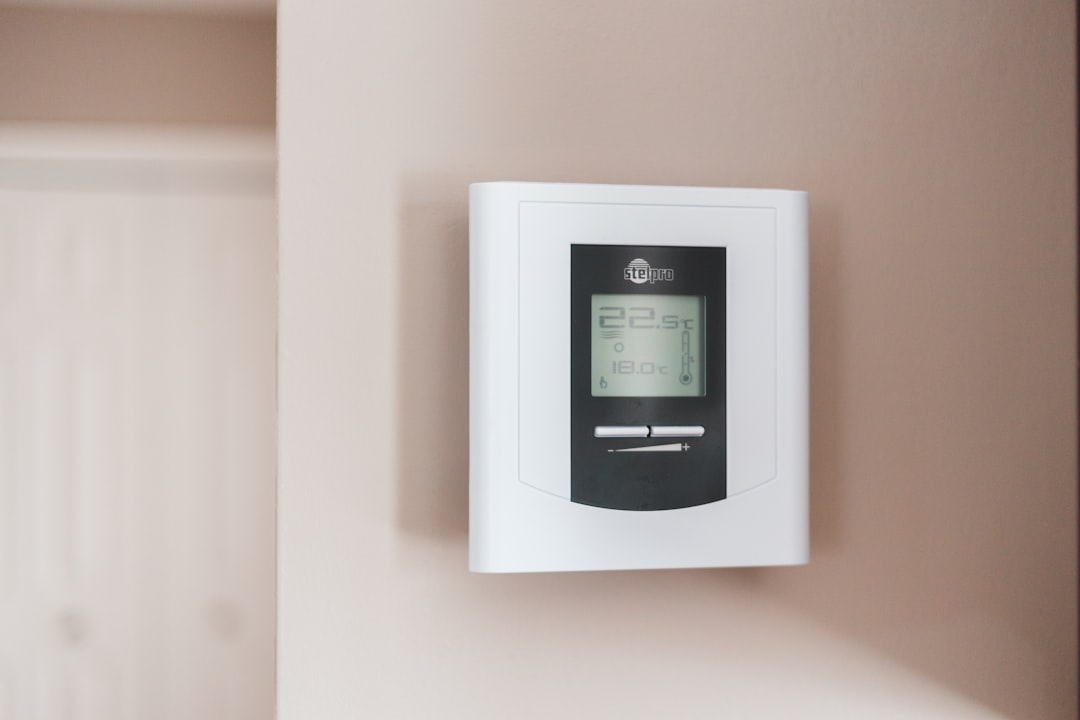
Top Energy-Saving Tech:
- Smart Thermostats: Learn your habits to reduce heating/cooling when not needed. Nest, Ecobee, and Honeywell offer models that provide energy reports.
- LED Smart Bulbs: Use significantly less power than traditional lighting. Features like dimming and scheduling extend their usefulness.
- Power Monitoring Plugs: Easily track appliance energy usage and identify devices that draw phantom loads (energy used while turned off).
Many energy-conscious users also install solar-powered smart devices, such as outdoor cameras or motion lights, further reducing the need for extra wiring and electricity.
6. Using Tech to Stay Organized
Everyday tech can also help with the mental clutter that builds up in our lives. Digital assistants, apps, and calendars have evolved into powerful tools to plan, remind, and manage tasks more efficiently.
Digital Tools for Home & Work:
- Shared Calendars: Google Calendar or Outlook helps coordinate family or household events. Set custom notifications and view everyone’s schedule in real time.
- Note-Taking Apps: Apps like Evernote or Microsoft OneNote allow you to organize grocery lists, projects, or travel plans across platforms and devices.
- Task Automation: Services like IFTTT or Apple Shortcuts enable you to create custom routines that trigger multiple actions with one command (e.g., “Bedtime” turns off lights, arms security, and lowers thermostat).
Using these apps not only boosts productivity but also integrates seamlessly with smart hubs and devices, streamlining life whether you’re working remotely or managing a household.
Final Thoughts
Embracing everyday tech doesn’t mean becoming a tech expert—it requires just curiosity and a few basic principles. When your devices work in harmony, tasks get streamlined, homes feel safer, and life becomes more manageable. From networking basics to energy-saving tools and home automation, the right tools can upgrade your daily experience significantly.
By taking the time to understand what your gadgets can really do, you unlock a world of convenience—and sometimes even joy—that makes technology feel magical.