In an age where collaboration and teamwork have never been more critical, Google has established itself as a frontrunner by offering accessible, powerful tools designed for effective group collaboration. Whether you’re coordinating projects within a small startup or managing cross-functional teams in a large enterprise, Google’s suite of collaboration tools streamlines communication, enhances productivity, and fosters real-time cooperation.
TLDR: Google offers a comprehensive set of collaboration tools ideal for teams of all sizes. From document sharing and real-time co-editing to secure communication and workflow integration, Google Workspace enables seamless collaboration. These tools are intuitive, scalable, and backed by the security and reliability of Google’s ecosystem. Designed to meet the demands of modern teams, Google Workspace fuels innovation through simplicity and connectivity.
The Foundation: Google Workspace
Previously known as G Suite, Google Workspace is an integrated collection of apps that allow teams to collaborate in real-time, no matter where they are. It includes well-known tools like Gmail, Google Docs, Google Sheets, Google Slides, and Google Drive, along with productivity-enhancing applications like Calendar, Meet, Chat, and Forms.
The brilliance of Google Workspace lies in its cloud-based architecture, which enables multiple users to work on the same file simultaneously without version control issues. Changes are saved in real time, making collaboration more fluid and less fragmented.
Key Tools for Team Collaboration
Here are some essential tools within Google Workspace that significantly enhance group collaboration:
- Google Docs, Sheets, and Slides: These are the cornerstone tools for content creation and editing. Multiple collaborators can edit documents simultaneously, leave comments, and suggest changes—all in real time.
- Google Drive: A cloud storage solution that allows teams to store, access, and share files securely. Permissions can be managed meticulously to ensure the right people see the right files.
- Google Meet: Integrated video conferencing tool that supports HD video and audio, screen sharing, live captions, and breakout rooms.
- Google Chat and Spaces: For direct messaging and group discussions. Spaces act like Slack channels, organizing conversations by topic and integrating seamlessly with other Workspace tools.
- Google Calendar: Critical for scheduling meetings, setting reminders, and coordinating timelines across teams.
Collaboration Beyond Real-Time Editing
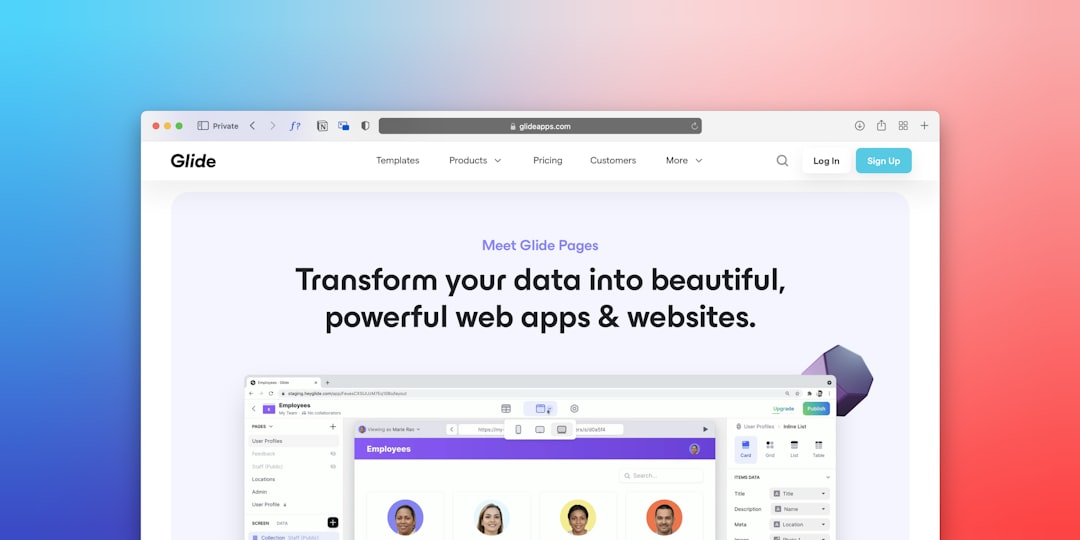
One of Google’s biggest strengths is its ability to go beyond basic collaboration mechanics and offer a complete ecosystem for productivity. Tools like Google Forms allow for efficient data collection across teams, while AppSheet enables non-programmers to build custom apps that fit their business workflow.
Moreover, Google Sites can be leveraged for constructing internal project hubs, knowledge bases, or client-facing dashboards without needing advanced web development skills. This reinforces group cohesion and centralized access to information.
User Roles, Permissions, and Security
Sensitive information is always a concern in collaborative spaces. Google provides granular permissions where users can be designated as viewers, commenters, or editors on specific documents or folders. Groups and access policies can be centrally managed via an admin console.
Additionally, Google’s built-in data loss prevention (DLP), two-factor authentication (2FA), and end-to-end encryption features ensure that company data remains secure, even in highly regulated environments such as healthcare and finance.
Integration with Third-Party Tools
Google Workspace integrates smoothly with a plethora of third-party applications, making it a flexible and scalable solution for companies of all types. Whether you’re using CRM systems like Salesforce, project management platforms like Asana or Jira, or custom internal applications, there are seamless ways to embed them into your daily workflow through APIs and add-ons.
Cross-Device Accessibility
Collaboration happens anywhere, anytime—and Google recognizes that. All Workspace tools are fully responsive and accessible on desktop, tablet, and mobile platforms. This means team members can edit a shared Google Doc from their desktop at work, then respond to comments or take meeting notes from their smartphone while on the move.
Offline modes are also available, allowing users to continue working on documents without an internet connection. Once reconnected, edits sync automatically, maintaining continuity and avoiding data loss.
Use Cases Across Industries
The versatility of Google for group collaboration makes it suitable across a wide range of industries. Here are a few examples:
- Education: Teachers can co-create lesson plans, provide real-time feedback on assignments, and hold virtual classrooms through Google Meet and Classroom.
- Healthcare: Teams can securely collaborate on research, manage shift schedules, and share patient information within HIPAA-compliant frameworks.
- Marketing: Agencies coordinate social media calendars, campaign briefing documents, and client presentations on a shared platform accessible in real-time.
- Engineering: Product requirement documents, sprint planning boards, and test case spreadsheets are efficiently managed and shared among distributed teams.
Best Practices for Maximizing Google Collaboration Tools
Here are some expert tips to get the most out of your Google collaboration environment:
- Use Shared Drives: These ensure that documents belong to teams rather than individuals, making transition smoother when someone leaves the organization.
- Establish Naming Conventions: Organized and predictable file names make it easier to search and manage shared assets.
- Leverage Version History: Google Docs and Sheets allow users to see changes made over time, restore previous versions, and track collaborator activity—critical for auditing.
- Integrate Smart Chips: Use smart chips to quickly insert people, dates, documents, and meetings directly into your content, enhancing contextual understanding.
Cost-Efficiency and Scalability
Google Workspace offers several pricing tiers based on organizational size and need—from basic plans for small teams to Enterprise-level plans with advanced administrative controls and compliance features. This scalability ensures that Google’s collaboration tools grow with your business, accommodating increasingly complex workflows and security requirements.
Furthermore, the predictability of subscription-based pricing removes hardware and maintenance costs often associated with legacy collaboration platforms, ensuring a lower total cost of ownership (TCO).
Why Choose Google Workspace for Group Collaboration?
The reasons are plentiful, but they boil down to a few truths:
- You get real-time, intuitive collaboration across geographies and time zones.
- You benefit from Google’s industry-leading security and uptime guarantees.
- You gain flexible integration options that support hybrid and remote work structures.
- You enjoy continuous innovation, like AI-enhancements and automation tools.
Google Workspace isn’t just a suite of tools—it’s a platform for creating synergy, streamlining operations, and ultimately achieving organizational objectives more efficiently.
Conclusion
In today’s fast-paced digital environment, effective collaboration is a competitive differentiator. Google’s collaboration ecosystem provides all the necessary tools for teams to work smarter, not harder. From the familiarity of Gmail to the real-time power of Docs and Meet, the depth and breadth of Google Workspace make it an essential ally for any group striving for top-tier collaboration and sustainable productivity.
By embracing Google’s robust, secure, and intuitive tools, your team is not only future-proofing its operations but also fostering a culture of openness, flexibility, and innovation.