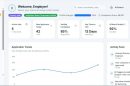
Pick Welbi if your senior living team wants a simple way to plan activities, track attendance, and prove resident engagement. Compare it with LifeLoop and Cubigo if you also need family messaging, service requests, dining tools, or a fuller resident app. The need is real. Older adults are becoming a larger part of the population, and the U.S. Census says people 65 and older are projected to outnumber children by 2034 [source: U.S. Census Bureau].
TLDR: Welbi, LifeLoop, and Cubigo all help senior living communities boost engagement, but they do it in different ways. Welbi is strong for activity teams that need fast planning and clear reports. LifeLoop shines when family communication matters. Cubigo feels more like a resident service hub.
Example: If a 120-resident community saves 20 minutes per day for 8 team members, that is more than 13 staff hours saved each week. That time can go back into games, outings, music, and one-on-one visits.
Senior living engagement tools are not just “nice software.” They help teams answer a basic question: Are residents actually joining in? Not just showing up once. Not just sitting in the room. Really taking part.
This matters because engagement affects mood, routine, friendships, and family trust. It also helps staff spot who may be pulling back. That quiet change can say a lot.

What Welbi Does Best
Welbi is built for life enrichment teams. That means activity directors, recreation staff, wellness teams, and managers who need clean records without losing their minds.
Its main strengths are simple:
- Activity planning: Build calendars faster.
- Attendance tracking: See who came to what.
- Resident profiles: Match programs to interests.
- Reports: Show families and leaders what is working.
- Insights: Spot residents who may need more support.
Honestly, it feels like activity teams have been asked to run a small festival every day with a clipboard and three pens. Welbi helps cut that mess down. It brings planning, tracking, and reporting into one place.
For example, if Mary loves painting but skips exercise class, the team can see that. They can invite her to watercolor group instead of pushing a fitness session she hates. Small change. Big difference.
Where LifeLoop Fits
LifeLoop is also a popular senior living platform. It focuses on engagement, communication, and family updates.
LifeLoop can be a great fit when your community wants families to feel closer to daily life. Families may see photos, updates, messages, and event details. That can reduce phone tag. It can also reduce the classic question: “What did Mom do this week?”
LifeLoop is often useful for:
- Family communication
- Resident engagement tracking
- Community calendars
- Photos and updates
- Staff coordination
The catch is that family tools can get noisy if no one owns the process. Someone has to post updates. Someone has to keep calendars fresh. If not, the app becomes a digital bulletin board with dust on it.
Where Cubigo Fits
Cubigo has a wider feel. It is often used as a resident experience platform. Think activities, dining, maintenance, transport, and service requests.
That makes it useful for communities that want one place for many resident needs. A resident might sign up for yoga, request a repair, check the menu, or book a ride.
Cubigo may work well for:
- Independent living communities
- Tech-friendly residents
- Service request tracking
- Dining and menu access
- Resident self-service
It drives me crazy when software tries to do everything, then makes simple tasks take five extra clicks. So ask for a demo. Test the basic stuff. Can a resident sign up for bingo in under 30 seconds? Can staff fix a calendar error fast? These little things matter.

Quick Comparison
| Tool | Best For | Simple Take |
|---|---|---|
| Welbi | Activities and engagement reporting | Best for life enrichment teams that need proof, not guesswork. |
| LifeLoop | Family updates and community connection | Best when families want more visibility. |
| Cubigo | Resident services and self-service tools | Best when residents use apps for daily needs. |
How to Choose Without Getting a Headache
Start with your biggest pain. Do not start with the longest feature list. That road gets messy fast.
- If reporting is weak: Look at Welbi first.
- If families feel out of the loop: Compare LifeLoop closely.
- If residents want one app for services: Put Cubigo on the list.
- If staff hate the current system: pick the tool they will actually use.
Ask each vendor the same questions:
- How long does it take to create a monthly calendar?
- Can we track resident interests?
- Can families see updates?
- Can reports be shared with leadership?
- What happens when Wi-Fi is bad?
- How much training is included?
Also ask for real numbers. A demo should show time saved, adoption rates, and sample reports. Pretty screens are nice. But your team needs fewer headaches by Tuesday.
Engagement Is Still Human
No tool replaces a warm smile. No dashboard replaces knowing that George likes jazz, tea, and bad jokes. Software only helps staff act on that knowledge.
This is the same idea behind smart ways to increase engagement online. Know your audience. Track what works. Keep improving. Senior living is more personal, of course. But the idea still holds.
Staff energy matters too. Burned-out teams will not use new software well. If morale is low, fix that alongside the tech. These employee morale boosters make a similar point: people engage better when they feel supported.

The Bottom Line
Welbi is a strong choice for activity planning and engagement insights. LifeLoop is strong for family connection. Cubigo is strong for resident services.
The best choice depends on your community. Pick the tool that solves your daily pain. Keep it simple. Train the team well. Then use the data to create better days for residents.
That is the real win. More smiles. Fewer missed connections. Less paper. Better care.