For agencies managing SEO across multiple clients, manual reporting is one of the fastest ways to lose billable time and introduce avoidable errors. A reliable agency rank tracker tool helps standardize how keyword rankings, visibility trends, competitor movement, and performance summaries are collected and delivered. When configured correctly, it turns reporting from a repetitive administrative task into a structured workflow that supports client communication, retention, and strategic decision-making.
TLDR: An agency rank tracker tool automates client SEO reports by collecting ranking data, organizing it by campaign, and sending branded reports on a fixed schedule. For example, an agency managing 25 clients with 300 tracked keywords each could reduce monthly reporting time from roughly 40 hours to under 8 hours by using automated dashboards and scheduled PDF or email reports. The result is faster delivery, fewer reporting mistakes, and more time for analysis instead of spreadsheet maintenance.
Why Automated SEO Reporting Matters for Agencies
Clients expect clear evidence that SEO work is producing measurable progress. They want to know whether rankings are improving, whether traffic opportunities are growing, and how their business compares with competitors in search results. However, agencies often manage dozens of campaigns at once, each with different keyword sets, locations, search engines, and reporting preferences.
Without automation, teams may spend hours exporting keyword data, copying charts into presentations, checking local rankings manually, and preparing summaries. This process is not only inefficient; it can also lead to inconsistent reporting. A serious agency needs a repeatable system that produces accurate data, makes trends easy to understand, and allows account managers to focus on interpretation rather than data collection.
What an Agency Rank Tracker Tool Does
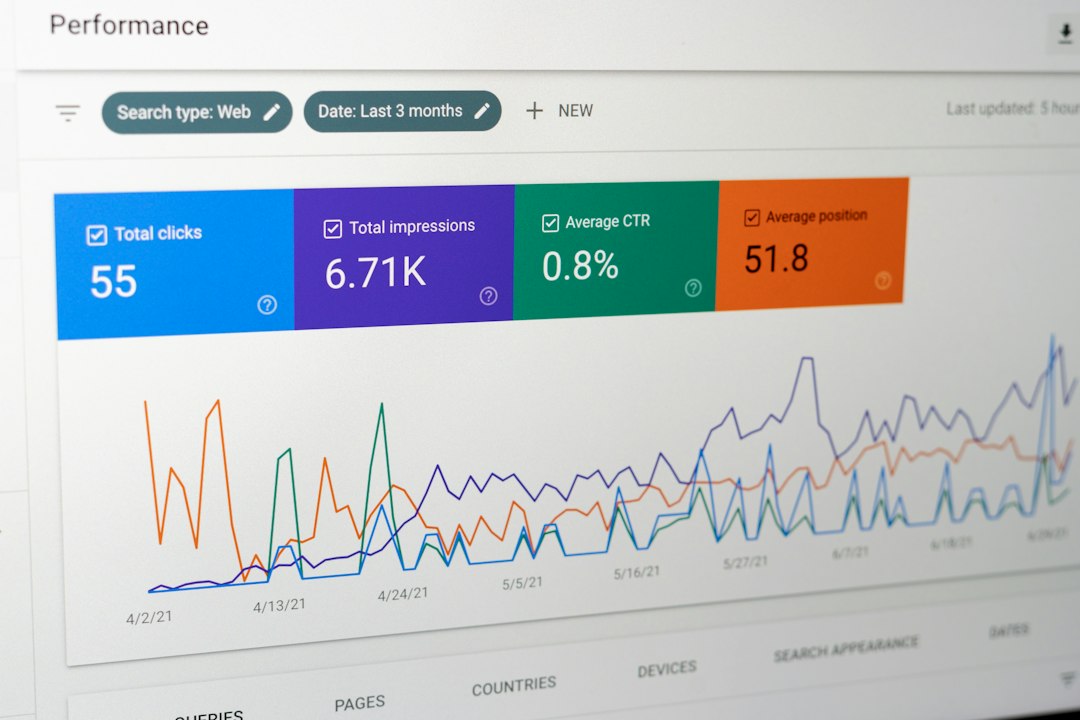
An agency rank tracker tool monitors keyword positions across search engines and locations. It typically allows teams to group keywords by client, project, campaign, service, location, or device type. More advanced tools also track competitors, map pack rankings, search visibility, estimated traffic, ranking distribution, and historical keyword movement.
For an agency, the key advantage is scale. Instead of checking rankings manually for every client, the software collects data automatically and stores it in a structured dashboard. Reports can then be generated daily, weekly, monthly, or at another interval agreed with the client.
Common capabilities include:
- Keyword rank tracking for desktop, mobile, local, national, and international search results.
- Competitor monitoring to show how client visibility compares with rival domains.
- White label reporting with the agency’s branding, logo, colors, and contact details.
- Scheduled report delivery by email, PDF, dashboard link, or client portal.
- Data segmentation by keyword group, location, landing page, device, or search intent.
- Historical trend analysis to demonstrate progress over time rather than isolated ranking snapshots.
How to Automate Client SEO Reports Step by Step
1. Standardize Your Reporting Structure
Before choosing report templates or connecting data sources, define what every client report should include. A clear structure reduces confusion for both your team and your clients. Most agencies benefit from having a core report format that can be adjusted for different client types, such as local businesses, ecommerce websites, SaaS companies, or national service providers.
A strong SEO ranking report usually includes:
- An executive summary explaining the most important changes.
- Keyword ranking gains and losses.
- Visibility trend over the reporting period.
- Competitor ranking comparison.
- Top performing pages and keywords.
- Important ranking drops that require investigation.
- Recommended next actions for the coming period.
The goal is not to show every available metric. The goal is to show the metrics that support decisions.
2. Organize Keywords by Business Value
Not every keyword has the same importance. A client may care more about ranking number three for a high-converting service keyword than ranking number one for a low-intent informational query. To make automated reports meaningful, divide keywords into logical groups.
For example, a law firm campaign might include groups such as “personal injury,” “car accident,” “local attorney,” and “branded keywords.” An ecommerce campaign might group terms by product category, brand, seasonality, or purchase intent. This structure allows reports to show which parts of the SEO campaign are improving and which require more work.
3. Configure Location and Device Tracking
Rankings can vary significantly by location and device. A business may rank well nationally but poorly in a specific city where it wants more leads. Similarly, mobile rankings may differ from desktop rankings, especially in local search environments.
Agencies should configure rank tracking based on the client’s actual market. For local businesses, this may mean tracking keywords in specific cities, postal codes, or service areas. For national brands, it may involve tracking representative regions or priority markets. Accurate location setup is essential because misleading ranking data can lead to poor strategic decisions.

4. Use White Label Reports for Professional Delivery
White label reporting is important for agencies that want a consistent and professional client experience. Reports should look like they come from the agency, not from a collection of unrelated software platforms. Branded reports build trust and make communication feel more organized.
At minimum, reports should include the agency logo, client name, campaign period, clear headings, readable charts, and a short written summary. Avoid overwhelming clients with raw data tables unless they specifically request them. Most clients value interpretation more than volume.
5. Schedule Reports and Alerts
Automation becomes most valuable when reports are delivered without manual intervention. Agencies can schedule monthly executive reports for business owners, weekly performance reports for marketing managers, and internal alerts for campaign teams.
Alerts are especially useful when rankings change sharply. For example, if a priority keyword drops from position 4 to position 18, the account manager can investigate quickly rather than discovering the issue at the end of the month. This makes the agency more proactive and reduces the risk of unpleasant surprises during client calls.
What Metrics Should Be Included?
A useful automated SEO report should balance simplicity with enough detail to support confidence. The following metrics are often the most valuable:
- Average position: A general view of ranking movement across tracked keywords.
- Top 3, top 10, and top 20 keyword counts: A practical way to show visibility improvements.
- Search visibility score: A broader indicator of organic presence.
- Ranking distribution: Shows how many terms are moving into stronger positions.
- Competitor comparison: Helps clients understand market context.
- Landing page performance: Connects rankings to pages that need optimization.
- Organic traffic and conversions: When integrated with analytics, this links rankings to business outcomes.
Rankings alone do not tell the full SEO story. A keyword may improve in position but generate little commercial value. That is why rank tracking should ideally be combined with analytics, conversion data, and search console performance where appropriate.
Common Mistakes to Avoid
Automation does not remove the need for judgment. Poorly configured automated reports can create confusion or even damage trust. Agencies should avoid sending reports with no explanation, tracking irrelevant keywords, using inconsistent date ranges, or presenting temporary ranking fluctuations as major strategic events.
Another common mistake is reporting too frequently without context. Daily ranking changes can be noisy, especially in competitive industries. For most clients, a monthly report with clear analysis is more useful than constant updates that do not explain what actions should follow.

How Automation Improves Client Relationships
Automated reporting strengthens client relationships when it improves transparency. Clients appreciate receiving information on time, in a consistent format, and with clear commentary. When reports reliably show what changed, why it matters, and what the agency will do next, they become a tool for retention rather than a routine obligation.
Automation also gives account managers more time to prepare meaningful insights. Instead of spending hours assembling charts, they can focus on explaining ranking gains, diagnosing losses, identifying content opportunities, and connecting SEO performance to revenue goals.
Final Thoughts
An agency rank tracker tool is not just a convenience; it is an operational asset. It helps agencies manage scale, maintain reporting accuracy, and communicate SEO progress with greater professionalism. The best results come when automation is paired with thoughtful keyword organization, proper location tracking, white label presentation, and expert analysis.
For agencies that want to grow without sacrificing service quality, automated SEO reporting is a practical necessity. It reduces repetitive work, improves consistency, and allows teams to spend more time on strategy—the work clients actually pay for and remember.