Running a hotel or resort is exciting. It is also complex. Guests expect smooth online booking. They want instant confirmation. They want to book from their phone in seconds. If your website cannot handle that, you lose money.
This is where WordPress booking plugins save the day. They turn your website into a powerful reservation system. And the good news? You do not need to be a tech genius to use them.
TLDR: The right WordPress booking plugin can turn your hotel website into a 24/7 reservation machine. Look for features like real-time availability, payment gateways, calendar syncing, and mobile-friendly design. Make sure it connects to OTAs and keeps pricing flexible. Choose a plugin that is easy to use, scalable, and supported by a reliable team.
Why You Need a Booking Plugin
Imagine this. A guest visits your website at 11:30 PM. They want a room for the weekend. If there is no instant booking option, what happens?
They leave.
They go to an online travel agency instead. Or worse, to your competitor.
A booking plugin lets guests:
- Check room availability in real time
- Compare room types
- Select dates easily
- Pay instantly and securely
- Receive automatic confirmation emails
It works 24/7. No receptionist needed.
What Makes a Great Hotel Booking Plugin?
Not all plugins are created equal. Some are simple. Others are powerful property management systems. So how do you choose?
Look for these essential features:
1. Real-Time Availability
This is critical. Your system must update availability instantly. No double bookings. No confusion. When one guest books a room, it should disappear from the available list immediately.
2. Flexible Pricing Options
Hotels rarely have fixed pricing. You may want:
- Seasonal rates
- Weekend pricing
- Holiday surcharges
- Last-minute discounts
- Long-stay discounts
A good plugin makes this easy. No complicated coding.
3. Multiple Room Types
Most hotels offer more than one room type. Standard. Deluxe. Suite. Villa. Your plugin should allow:
- Unique descriptions
- Photo galleries
- Different occupancy limits
- Custom amenities per room
4. Online Payments
No modern booking system works without payments. The best plugins support:
- Credit cards
- PayPal
- Stripe
- Bank transfers
- Partial deposits
Security is key. Always choose a plugin that supports secure payment gateways.
5. Mobile-Friendly Booking
More than half of travelers book via mobile devices. Your booking form must look perfect on phones.
If guests have to pinch and zoom, they will leave.
Channel Management and OTA Integration
Many hotels list rooms on multiple platforms. Your website. Online travel agencies. Maybe Airbnb.
This creates a problem. Overbooking.
A strong booking plugin should sync calendars across platforms. When a room is booked on one channel, it updates everywhere.
This is often called iCal sync or channel management.
It saves time. It prevents awkward phone calls. It protects your reputation.
Design Matters More Than You Think
Your booking system should not feel separate from your website. It should match your brand.
Look for plugins that allow:
- Custom colors
- Font control
- Button styling
- Custom booking forms
The experience must feel smooth. Clean. Professional.
Remember. Guests judge quality by appearance. Even online.
Automation Features That Save Time
Running a hotel means juggling many tasks. Check-ins. Cleaning schedules. Special requests.
Your booking plugin can automate much of this.
Email Notifications
- Booking confirmations
- Payment receipts
- Reminder emails before arrival
- Follow-up thank-you messages
Admin Alerts
- New reservation notifications
- Cancellation alerts
- Payment failure warnings
Automation reduces mistakes. And stress.
Extra Features That Make a Difference
Some plugins go beyond the basics. These features are not always required. But they can boost revenue.
1. Add-Ons and Upsells
Offer extras during booking:
- Airport pickup
- Spa access
- Breakfast packages
- Late checkout
- Romantic room decoration
This increases your average booking value.
2. Coupon Codes
Perfect for promotions. Offer discount codes during low season. Reward repeat guests.
3. Multi-Language Support
If you attract international guests, this is vital. A multilingual booking system builds trust.
4. Tax and Fee Management
Hotels often include city taxes or cleaning fees. A good plugin calculates these automatically.
Ease of Use for Staff
A system can have many features. But if it is hard to use, it becomes a burden.
Your staff should be able to:
- View reservations quickly
- Modify bookings easily
- Block dates for maintenance
- Generate reports
Look for a clean dashboard. Clear calendars. Simple navigation.
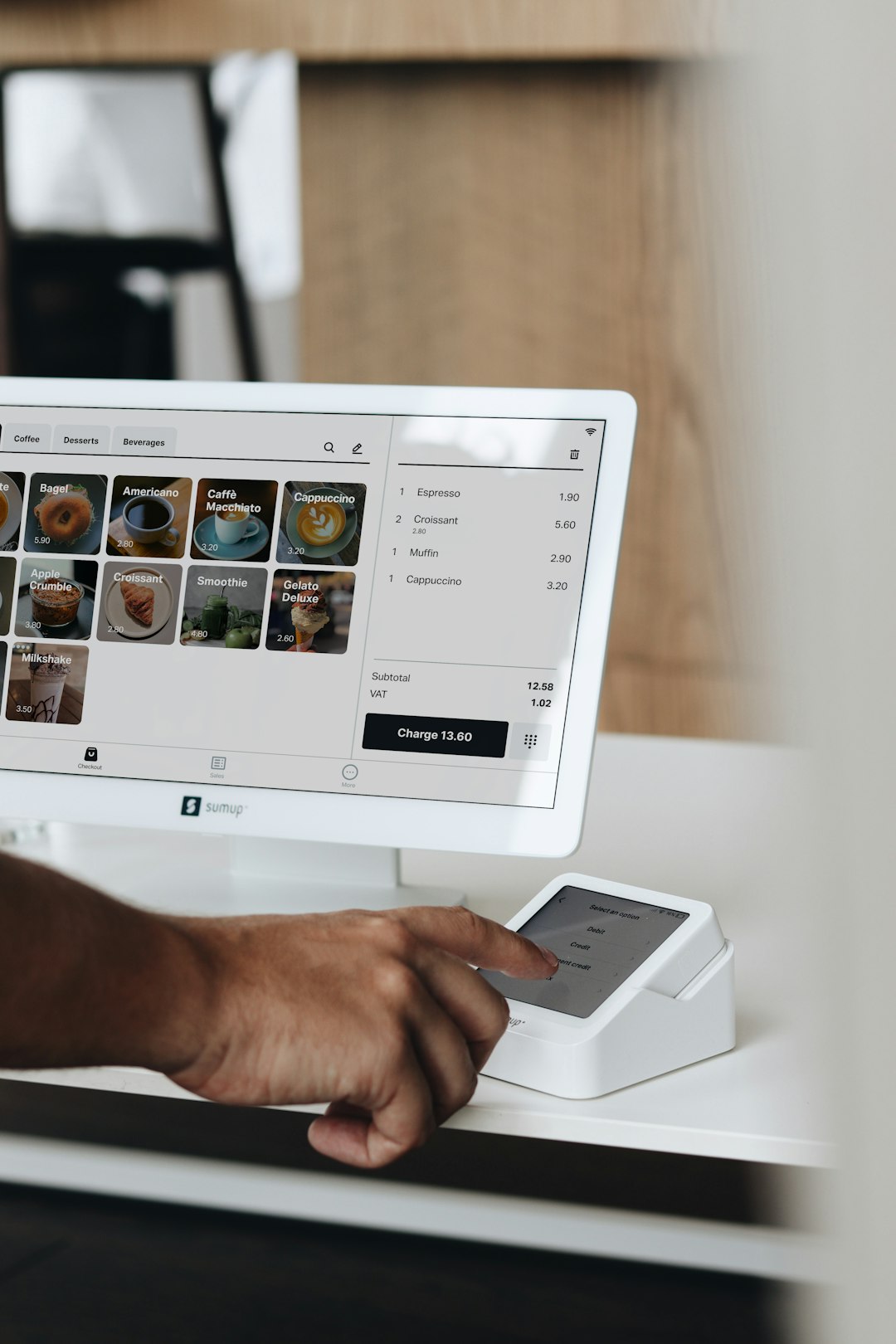
Reporting and Analytics
You cannot grow what you do not measure.
Good booking plugins provide reports like:
- Occupancy rates
- Total revenue
- Best-performing room types
- Seasonal trends
This helps you adjust pricing. Plan marketing campaigns. Make better decisions.
Scalability for Growing Resorts
Maybe you run a small boutique hotel today. But what about tomorrow?
Choose a plugin that can grow with you.
It should support:
- Multiple properties
- Large room inventories
- Advanced rate rules
- Integration with property management systems
Switching systems later can be stressful. Plan ahead.
Free vs Premium Plugins
Many booking plugins offer free versions. They can be useful for small guesthouses.
But free versions often come with limits:
- No payment gateways
- Limited support
- Restricted features
Premium plugins cost money. But they offer:
- Dedicated support
- Regular updates
- Advanced features
- Better security
In most cases, a hotel should invest in a premium solution. It usually pays for itself quickly.
Common Mistakes to Avoid
Choosing Based Only on Price
Cheap does not mean better. Focus on functionality.
Ignoring Mobile Experience
Test your booking flow on multiple devices.
Not Testing the Checkout Process
Always make a test booking. Check emails. Confirm payments work correctly.
Forgetting About Speed
Heavy plugins can slow down your site. Choose well-coded solutions. Speed affects conversions.
How to Choose the Right Plugin for Your Hotel
Start with a simple checklist:
- How many rooms do you manage?
- Do you need OTA syncing?
- Do you require deposits or full payments?
- Will you offer seasonal pricing?
- Do you need multi-language support?
Write down your needs. Compare plugins carefully. Read reviews. Check support documentation.
Then test it.
Most good plugins offer demos or refund periods. Use them.
Final Thoughts
Your website is more than a digital brochure. It is your strongest sales channel.
A powerful WordPress booking plugin transforms it into a direct revenue engine.
It reduces dependence on online travel agencies. It increases profit margins. It gives you full control over guest relationships.
Keep it simple. Focus on essential features. Make the experience smooth and fast.
When guests can book easily, they do.
And when booking is easy, your hotel wins.